

Customer feedback. Clearer insights.
A small ripple can make a big difference.
People scan a QR code and answer on their phone. Pulse groups what they write by topic, so you can see what is changing.
30 days free. No card needed.
How Pulse works
Understand what people are saying
Spend less time sorting feedback and more time reviewing what matters. AI helps group comments by topic, whether they come from your stores, your events, or your services.
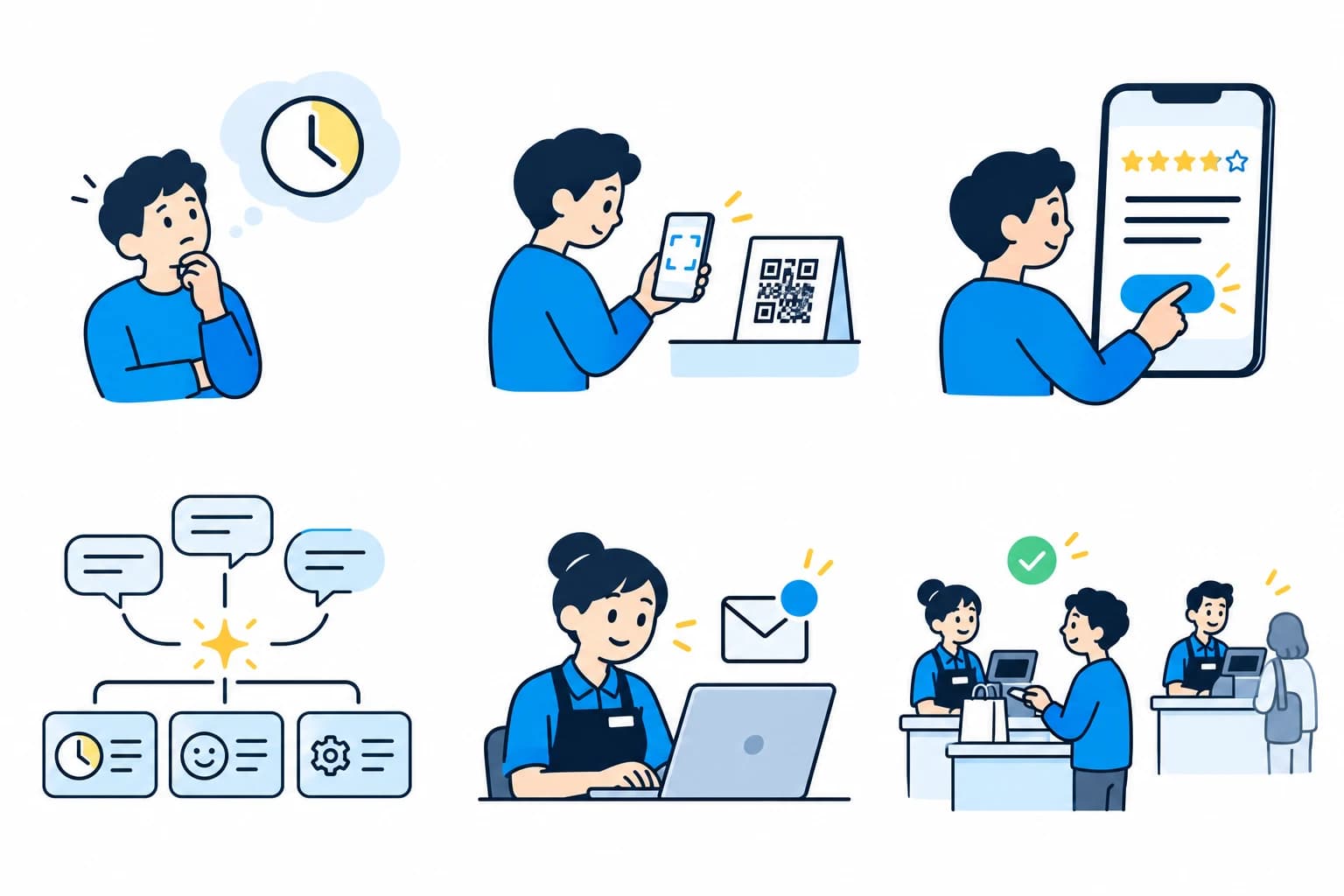
A customer has an opinion
Great service, a long wait, or an idea worth sharing.
They scan the QR code
Your survey opens on their phone. No app needed.
They share feedback
A rating and a comment about their experience.
AI finds the themes
Pulse helps group comments by topic and sentiment, including positive staff feedback, so your team spends less time sorting them.
The team sees what is changing
Spot recurring issues, compare locations or events, and see how feedback changes over time.
The team takes action
They make a change, such as opening another checkout.
Two ways to use Pulse
Is your feedback tied to a place?
Surveys, AI topics, and insights work the same either way. What changes is whether each response belongs to a location.
Tied to a location
Locations
Shops, restaurants, branches, and sites. Compare locations, give managers their own sites, and invite happy customers to leave a Google review.
30 days free · Up to 2 locations · No card needed
Not tied to a location
Surveys & Polls
Events, courses, and services. Run a survey for each event, course, or service, and compare them side by side.
30 days free · Up to 300 responses a month · No card needed
Getting started
Get started with guided setup
Built-in onboarding and a tutorial guide you through setup. No meeting needed.
Choose your survey
Pick a ready-made template for your industry, then invite your team and choose who sees which results.
Share your QR code
Put the code where people can scan it: on a counter, a table, a slide, or a handout. The survey opens in their phone browser, with no app to install.
Explore your feedback
As responses arrive, see the topics people mention, compare locations or surveys, and open the comments behind each theme.
Ready when you are
Let's make customer feedback useful.
Start small and grow from there. Try Pulse free for 30 days. No card needed.
